
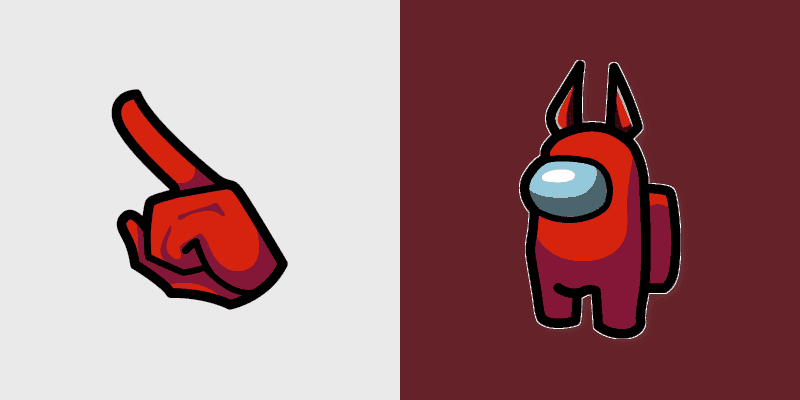
This comprehensive guide will walk you through installing and using Red Devil Horns Crewmate on both Chrome and Windows. Follow these simple steps to personalize your cursor experience.
Introduction
Red Devil Horns Crewmate is a Among Us Hats & Outfits themed cursor pack that can transform your browsing and desktop experience. This guide covers everything from installation to customization, ensuring you get the most out of this cursor pack.
What You'll Need
Before you begin, make sure you have:
- For Chrome: Google Chrome browser installed
- For Windows: Windows 10 or later
- Internet connection: To download the extension or app
Installation in Chrome
Installing Red Devil Horns Crewmate in Chrome is quick and easy:
- Click the "Add to Chrome" button below to open the Chrome Web Store
- Click "Add Extension" in the popup window
- Once installed, click the extension icon in your toolbar
- Browse to find Red Devil Horns Crewmate and click "Add" or "Apply"
- Refresh your open tabs to see the new cursor
Install Chrome Extension
Get instant access to Red Devil Horns Crewmate and thousands of other cursor packs.
Installation on Windows
To use Red Devil Horns Crewmate on your Windows desktop:
- Download the Windows client using the button below
- Run the installer and follow the on-screen instructions
- Open the application after installation
- Search for Red Devil Horns Crewmate in the catalog
- Click "Apply" to change your system cursor
Download Windows App
Manage all your cursor packs with our free Windows desktop application.
Customization Tips
Once Red Devil Horns Crewmate is installed, you can customize your experience:
- Switch Between Cursors: Easily change between different cursor styles in the extension or app
- Create Collections: Save your favorite cursor packs for quick access
- Sync Across Devices: If you're logged in, your preferences can sync across devices
- Mix and Match: Try combining Red Devil Horns Crewmate with other cursor packs from the same collection
Explore more cursor packs from the Among Us Hats & Outfits collection to find complementary styles.
Troubleshooting
If you encounter any issues:
- Cursor not changing: Try refreshing your browser tabs or restarting the Windows app
- Extension not working: Make sure the extension is enabled and pinned to your toolbar
- Windows app won't start: Ensure you have .NET Framework 4.8 or later installed
- Cursor looks blurry: Check your display scaling settings in Windows
Need More Help?
If you're still having trouble, visit our Support Center for detailed guides and FAQs.
View Red Devil Horns Crewmate Details